Why Are Your Google Ads Not Generating Leads? 10 Common Problems and How to Fix Them
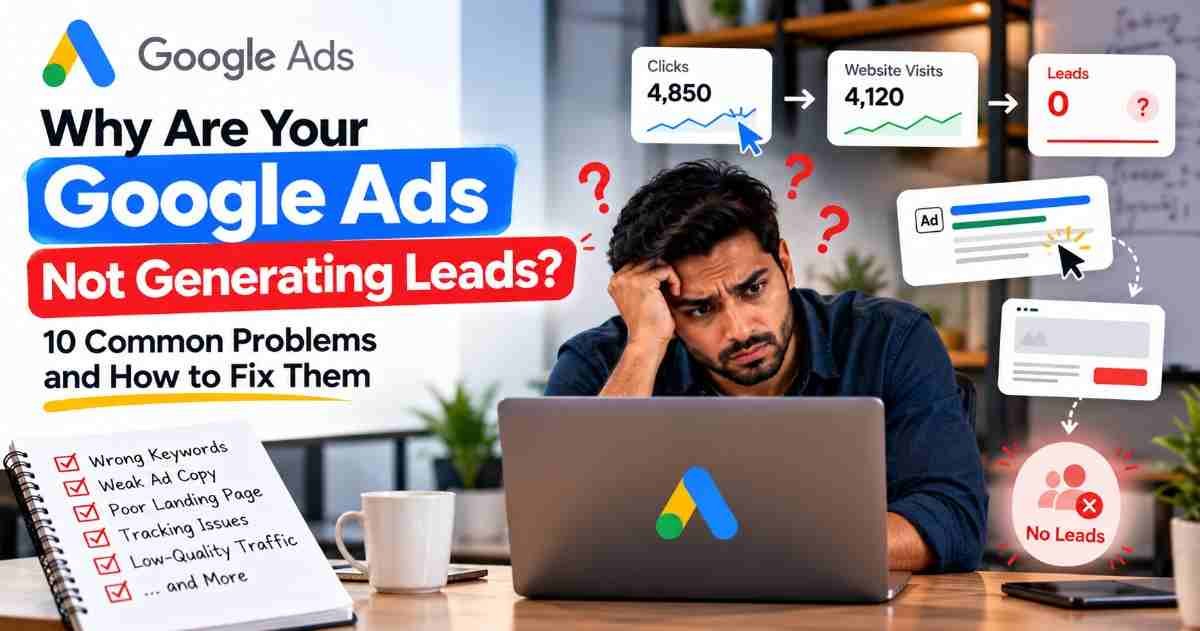
You are spending money on Google Ads, your campaigns are receiving clicks, but your phone is not ringing and your enquiry forms remain empty. For many businesses, this creates a frustrating question: where is the advertising budget going, and why are potential customers not contacting them?
When Google Ads not generating leads becomes a persistent problem, the cause may be irrelevant search traffic, weak ad copy, a poor landing page, incorrect measurement, or a slow sales follow-up process. Increasing your budget without identifying the actual issue can make the situation worse.
The solution is to investigate the entire customer journey, from the search query and ad click to the website visit and final enquiry. Here are ten common problems, practical fixes, and ways to measure whether your changes are working.
Google Ads Getting Clicks But No Leads: What is Going Wrong?
Clicks indicate that people interacted with your ads, but they do not automatically mean those visitors are interested in buying.
A visitor may click because the ad looks relevant, only to discover that the service does not meet their needs. Another visitor may be genuinely interested but leave because the website is confusing or the contact form does not work.
Understand these four stages:
Clicks: People interact with your advertisements.
Website visits: Visitors successfully reach your landing page.
Conversions: Visitors complete a measurable action, such as submitting a form or making a call.
Qualified leads: Enquiries that match your target customer's requirements.
Start by checking whether your traffic is relevant, your website works correctly, and your measurement system records genuine enquiries. These checks help you distinguish an advertising problem from a website or reporting problem.
10 Common Google Ads Problems and How to Fix Them
Problem 1: Wrong keyword targeting
Why it happens: Your advertisements may appear for searches that are related to your services but do not indicate a genuine buying requirement.
For example, a website development company may attract people searching for free website templates when its goal is to acquire paying clients.
How to fix it:
Open the Search terms report in your advertising account.
Review the actual searches that triggered your ads.
Identify irrelevant searches and add appropriate negative keywords.
Refine your keyword list around the services you genuinely offer.
Separate different services into relevant ad groups or campaigns when appropriate.
Google recommends using search-term data to identify opportunities for refining keywords and excluding irrelevant traffic.
How to measure improvement: Review search relevance, conversion rates, and the proportion of enquiries that match your target customer profile.
Problem 2: Search intent does not match your offer
Why it happens: People searching for information may not be ready to purchase, while people comparing providers may need clearer pricing, service details, or reasons to trust your business.
How to fix it: Match your keywords, advertisements, and landing pages to the searcher's likely objective. Someone searching for an emergency repair service needs a different message from someone researching how repairs work.
Make your offer specific. Explain what you provide, who it is for, and what the visitor should do next.
How to measure improvement: Review enquiry quality and conversion rates for different search themes instead of judging success by clicks alone.
Problem 3: Weak or unclear ad copy
Why it happens: Generic headlines fail to communicate what makes your service relevant. Visitors may click without understanding your actual offer.
How to fix it:
Mention the specific service being advertised.
Highlight genuine benefits or differentiators.
Use a clear call to action, such as requesting a quote or booking a consultation.
Ensure your messaging matches the destination page.
Use relevant assets, such as call or location information, when appropriate.
For example, a specific message explaining website design for local businesses is more informative than a vague promise to provide the best digital solutions.
How to measure improvement: Monitor click-through rate alongside qualified enquiries and conversion rate. A higher click-through rate is not necessarily an improvement if lead quality declines.
Problem 4: Poor landing page experience
Why it happens: Visitors arrive at a page that does not match the advertisement, loads slowly, hides important information, or makes the next step difficult.
How to fix it: Create a landing page that directly addresses the advertised service. Place the main benefit, relevant details, and contact option where visitors can easily find them.
Check mobile usability, page speed, readability, and navigation. Remove unnecessary distractions and ensure the page builds trust through accurate business information and clear explanations.
How to measure improvement: Compare landing-page engagement and enquiry completion before and after changes. Test the page on both mobile devices and desktop computers.
Problem 5: Complicated or broken lead forms
Why it happens: Visitors may abandon a form that requests too much information, contains confusing fields, or fails when submitted.
How to fix it:
Ask only for information needed to respond to the enquiry.
Make field labels and instructions clear.
Test form submission on mobile and desktop.
Check that enquiries reach the correct email address or CRM.
Display a clear confirmation after successful submission.
Do not assume a form works simply because it appears correctly on the page. Submit a real test enquiry and verify that it reaches the intended destination.
How to measure improvement: Compare completed forms with form starts where measurable, and check whether submitted enquiries are successfully received.
Problem 6: Budget and bidding issues
Why it happens: A restricted budget may limit campaign reach, while an unsuitable bidding strategy may prioritise an objective that does not match the business's needs.
How to fix it: Check budget-limited status, impression share, cost per click, conversion history, and the campaign's bidding objective. Determine whether the budget is being spent on relevant searches before increasing it.
Automated bidding strategies can optimise towards selected conversion goals, but their suitability depends on your objectives and measurement quality.
How to measure improvement: Evaluate cost per qualified lead, lead volume, and business profitability. Avoid changing bids and budgets repeatedly in response to small, short-term fluctuations.
Problem 7: Poor geographic or audience targeting
Why it happens: Your campaign may reach people outside your service area or show ads to audiences that are unlikely to become customers.
How to fix it: Review location settings and performance by geographic area. For a business serving Lucknow, for example, investigate whether clicks come from locations the business can actually serve.
Check language settings, audience settings, and the campaign's location options. Remember that the appropriate settings depend on whether you serve customers at a physical location, travel to them, or sell nationally.
Do not exclude an area simply because it has a small number of clicks. Consider conversion quality, costs, service coverage, and sufficient data before making changes.
How to measure improvement: Compare enquiry quality and cost per qualified lead across locations and relevant audience segments.
Problem 8: Incorrect measurement settings
Why it happens: Missing tags, duplicate events, incorrect conversion actions, or broken form tracking can make a successful campaign appear unsuccessful—or make a poorly performing campaign look profitable.
How to fix it:
Confirm that the intended enquiry actions are configured correctly.
Test form submissions and relevant phone-call conversions.
Use Google Tag Manager or the Google tag where appropriate.
Check for duplicate conversion events.
Review which actions are included in the primary conversion reporting and bidding goals.
Compare advertising reports with actual enquiries in your CRM or business records.
Google provides different measurement options for website actions, phone calls, and offline outcomes. Choose the setup that matches your actual customer journey.
How to measure improvement: Confirm that test actions are recorded correctly and that reported conversions reasonably reconcile with genuine enquiries, allowing for attribution differences and reporting delays.
Problem 9: Slow follow-up and poor lead handling
Why it happens: Advertising may generate genuine enquiries, but the business loses opportunities because nobody responds promptly, calls are missed, or staff do not follow a consistent process.
How to fix it: Assign responsibility for incoming enquiries. Set a realistic response-time target, use appropriate email or CRM notifications, and establish a follow-up process for unanswered calls and incomplete conversations.
Record whether enquiries are relevant, whether contact was established, and whether they progressed towards a sale. Where supported by your systems, importing qualified or converted lead outcomes can help connect advertising with business results.
Google Ads Help
How to measure improvement: Track response times, contact rates, qualified leads, appointments, and sales—not just the number of form submissions.
Problem 10: No systematic campaign optimisation
Why it happens: Campaigns are changed randomly, reports are reviewed inconsistently, or decisions are based on clicks instead of meaningful business outcomes.
How to fix it: Establish a regular review process. Examine search terms, landing pages, device performance, geographic results, lead quality, and cost per qualified lead. Prioritise the issues with the clearest evidence of wasted spend or lost opportunities.
Change one major variable at a time where practical, and allow sufficient time and data to evaluate the impact. Avoid making several changes simultaneously if doing so would make the results difficult to interpret.
How to measure improvement: Compare performance against a baseline, accounting for conversion delays and seasonal changes. Record what changed, when it changed, and what happened afterwards.

Google Ads Not Converting: How to Diagnose the Real Cause
When campaign results are disappointing, use this diagnostic sequence before making major changes:
Check delivery: Are your ads receiving relevant impressions and clicks?
Inspect search terms: Are people searching for the services you actually offer?
Test the website: Does the landing page load and work properly on mobile and desktop?
Complete a test enquiry: Can a visitor submit a form or contact the business successfully?
Verify reporting: Does the advertising platform record the intended action accurately?
Check the sales process: Are genuine enquiries reaching the right person and receiving follow-up?
These checks help identify whether the main issue is traffic quality, the website experience, measurement, or lead management.
For example, if your CRM contains genuine enquiries but the advertising dashboard reports none, investigate measurement before rebuilding the campaign. If neither system records enquiries, examine traffic relevance and the website journey first.
Google Ads Conversion Tracking: How to Verify Your Data
Accurate measurement tells you which campaigns and search terms contribute to useful business outcomes.
Google Ads conversion actions can record valuable events such as form submissions and calls. Google Analytics 4 can help analyse website behaviour, while Google Tag Manager can help manage tags when it is part of your implementation. A CRM can provide additional evidence about lead quality and sales outcomes.
Use this checklist:
Confirm that the correct website and analytics properties are connected where required.
Test each important conversion action.
Check for duplicate events and incorrect triggers.
Review primary and secondary conversion settings.
Check attribution settings and conversion reporting windows.
Compare recorded events with actual enquiries and sales records.
Google notes that duplicate tagging can cause duplicate conversion reporting.
Remember that Google Ads and GA4 may report different totals because of attribution, conversion definitions, reporting windows, consent, and implementation differences. Investigate the cause instead of assuming either report is automatically correct.
How to Improve Google Ads performance: A Practical Optimisation Checklist
Use this prioritised checklist to make campaign improvements in a logical order:
Fix measurement first: Ensure important enquiries are recorded accurately.
Remove irrelevant traffic: Review search terms and add suitable exclusions.
Improve ad relevance: Align keywords, headlines, and offers.
Strengthen landing pages: Make the value proposition and next step clear.
Review lead costs: Track both cost per enquiry and cost per qualified lead.
Evaluate business outcomes: Identify which campaigns produce appointments, opportunities, and sales.
Make evidence-based changes: Avoid reacting to isolated results or changing too many variables at once.
A low cost per lead does not always mean a campaign is successful. Ten irrelevant enquiries may be less valuable than two enquiries from customers who genuinely need your service.
Set performance targets based on your margins, sales process, and customer value. Review results regularly and adjust your strategy when the evidence supports a change.
Google Ads Lead generation: When Should You Seek Professional Help?
Consider professional support if your campaigns continue to attract irrelevant traffic, conversion reports cannot be reconciled with actual enquiries, acquisition costs remain high, or landing page problems persist.
A responsible advertising partner should provide:
A structured account and tracking audit.
Clear explanations of identified problems.
Prioritised recommendations based on business objectives.
A practical plan for improving campaign and landing page performance.
Regular reports covering costs, qualified enquiries, and business outcomes.
Transparent communication about limitations, progress, and next steps.
Before hiring an agency, ask how it defines a qualified lead, how it verifies conversions, and how it will measure success. Ensure you retain appropriate access to your advertising account and understand the work being performed.
Professional support should help you make better-informed decisions, not simply encourage you to spend more.
Frequently Asked Questions
1. Why do my ads receive clicks but no enquiries?
Possible causes include irrelevant search traffic, unclear offers, weak landing pages, broken contact forms, or measurement issues. Review each stage of the customer journey before deciding which change to make.
2. How long should I wait before changing a campaign?
There is no universal waiting period. Allow enough time and data to evaluate results, taking conversion delays and sales cycles into account. Fix broken tracking or technical errors promptly rather than waiting for more data.
3. What if the advertising dashboard shows conversions but my CRM has no leads?
Check whether the tracked event represents a genuine enquiry. A button click, page view, or duplicate event may be counted incorrectly. Test the complete process and compare records across your website, advertising account, and CRM.
4. Should I increase my advertising budget when enquiries are low?
Not automatically. First investigate traffic relevance, website usability, measurement accuracy, and lead quality. Increasing the budget is worth considering only when you understand the current results and have a reasonable basis for expecting additional profitable enquiries.
Conclusion: Fix the Cause Before Spending More
Better advertising results come from understanding the complete customer journey. Relevant searches, clear ad messaging, useful landing pages, accurate measurement, and consistent follow-up all contribute to business outcomes.
Instead of making random changes or automatically increasing your budget, identify the biggest problem, implement a focused improvement, and measure the result. Over time, this approach can help you attract more relevant enquiries and make better use of your advertising investment.
Get Expert Support from Adyficoo IT Solution
If your advertising campaigns are underperforming, Adyficoo IT Solution can help you identify potential gaps in targeting, measurement, campaign structure, and landing page experience.
Visit Adyficoo IT Solution to explore our digital marketing services and discuss your business goals. A structured review can help you identify practical next steps based on your current campaign data and lead-generation objectives.